We use cookies to make your experience better.
To comply with the new e-Privacy directive, you agree to the privacy policy and our use of cookies.

Mikrotik GPER bridge/repeater Network repeater Black

Login for Pricing
SKU: GPER
In Stock:
30 available
Delivery Time 5-7 Days
10/100/1000 Ethernet ports, 2 A, 802.3af/at, 24-57 V, 40°C to 70°C
Category: Bridges & Repeaters
| SKU | GPER |
|---|---|
| EAN | 4752224002365 |
| Manufacturer | Mikrotik |
| Availability | In Stock |
| Network | |
|---|---|
| Ethernet LAN | Yes |
| Ports & interfaces | |
| Ethernet LAN | Yes |
| Ethernet LAN (RJ-45) ports | 2 |
| Features | |
| Product type | Network repeater |
| Product colour | Black |
| Power | |
|---|---|
| Power over Ethernet (PoE) | Yes |
| DC output current | 2 A |
| Operational conditions | |
| Operating temperature (T-T) | -40 - 70 °C |
| Technical details | |
| Product colour | Black |
The GPeR unit allows to extend Ethernet cable by additional hop (< 100 - 150 m to regular network devices, and up to 210 m to another GPeR unit) up to 1,500 m.
Handy for highrise buildings, multi-apartment buildings, with many floors and sections, where very long Ethernet cables might be a problem.
Maximium allowed length of CAT6 Ethernet cable between GPeR and power source/router is up to 100 m (depending on cable quality, high quality - up to 150 m).
Maximium allowed distance of CAT6 Ethernet cable between two GPeR devices is up to 210 m (depending on cable quality).
In case if the destination device does not support PoE-in powering, the PoE Passthrough can be disabled by manually removing all jumpers.
Handy for highrise buildings, multi-apartment buildings, with many floors and sections, where very long Ethernet cables might be a problem.
Maximium allowed length of CAT6 Ethernet cable between GPeR and power source/router is up to 100 m (depending on cable quality, high quality - up to 150 m).
Maximium allowed distance of CAT6 Ethernet cable between two GPeR devices is up to 210 m (depending on cable quality).
In case if the destination device does not support PoE-in powering, the PoE Passthrough can be disabled by manually removing all jumpers.
You may also be interested in
| Product |
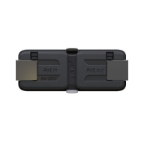 Mikrotik GPER bridge/repeater Network...
Login for Pricing
Mikrotik GPER bridge/repeater Network...
Login for Pricing
|
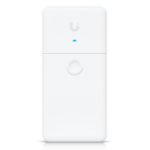 Ubiquiti UACC-LRE bridge/repeater Netw...
Login for Pricing
Ubiquiti UACC-LRE bridge/repeater Netw...
Login for Pricing
|
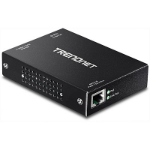 Trendnet TPE-E100 bridge/repeater 800...
Login for Pricing
Trendnet TPE-E100 bridge/repeater 800...
Login for Pricing
|
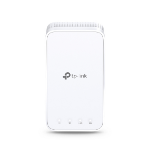 TP-Link RE335 Network repeater 867 Mbi...
Login for Pricing
TP-Link RE335 Network repeater 867 Mbi...
Login for Pricing
|
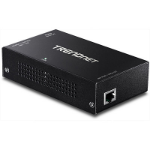 Trendnet TPE-E110 bridge/repeater 1000...
Login for Pricing
Trendnet TPE-E110 bridge/repeater 1000...
Login for Pricing
|
|---|---|---|---|---|---|
| SKU |
GPER
|
UACC-LRE
|
TPE-E100
|
RE335(DE)
|
TPE-E110
|
| Manufacturer |
Mikrotik
|
Ubiquiti
|
Trendnet
|
TP-LINK
|
Trendnet
|
| Maximum data transfer rate |
N/A
|
N/A
|
800 Mbit/s
|
867 Mbit/s
|
1000 Mbit/s
|
| Product type |
Network repeater
|
Network repeater
|
N/A
|
Network repeater
|
N/A
|